Overview
A security profile controls who may watch a video by link, embed or LMS. Every video gets your organization's default profile when it is first shared. For special cases you create custom profiles. Users with the access management permission manage profiles.
Step 1: Open security profiles
Open Administration in the sidebar and click Security Profiles. At the top is the Default security profile, below it your custom profiles with the number of videos using them.
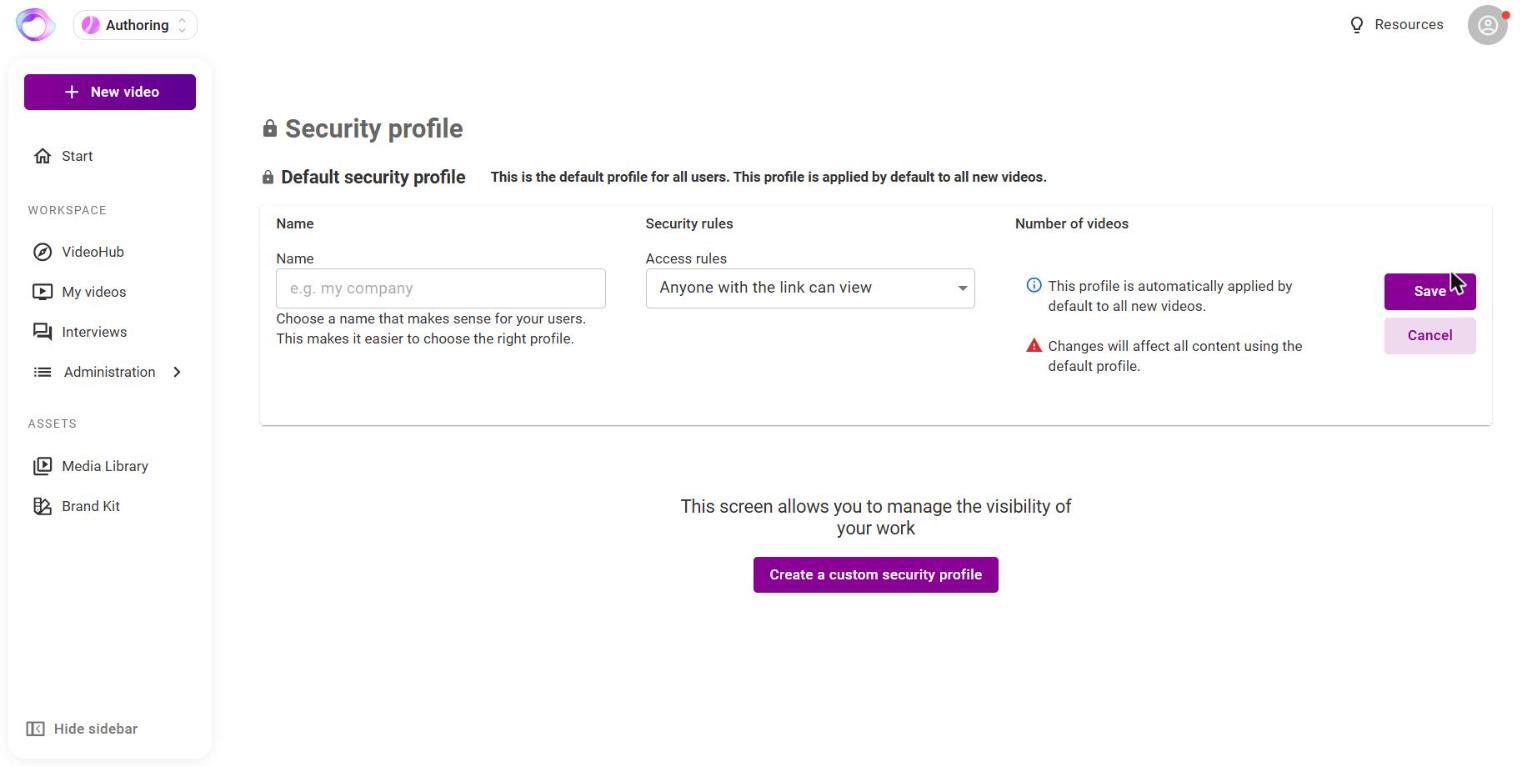
Step 2: Create or change a profile
- Click Create a custom security profile, or the pencil next to the default profile.
- Enter a name and choose one access rule:
- Anyone with the link can view this
- Allow only on specific domains/sites/referrer, for example only on your intranet
- Allow only for specific IP addresses, also as a range
- Allow only on specific domains OR/AND for IP addresses
- Password protected access
- Save the profile.
Step 3: Choose a profile for a video
Click the value in the Access column in My videos, or Change in Share video. Choose Inactive (only visible to me), the default profile or a custom profile and click Apply.
What viewers see
- With password protection they enter the password. The browser remembers it for this video until the session ends.
- If sign-in is required, they see the login or the single sign-on buttons.
- If they are not among the people the video is shared with, they see a notice.
Frequently asked questions
Can I combine several rules in one profile?
Each profile has one rule type with any number of values. Combine domain and IP with the OR/AND rule.
Can I look up a saved password?
No. Passwords need at least 5 characters and can't be viewed after saving. Set a new one if needed.
What happens if I delete a custom profile?
All videos using it are deactivated. The default profile can't be deleted.
Does the profile apply in VideoHub too?
No. Who sees a video in VideoHub is set when sharing within VideoHub.
Can I always see my own video?
Yes. The video's owner and content managers of your organization always get through when signed in.
Questions? Send us a message, we are happy to help!