Since August 2, 2026, Article 50 of the EU AI Act has been in force. It requires providers and users of AI systems to make AI-generated content transparent. For videos with AI-generated speech (text-to-speech), this means: they need to be recognizable as AI-generated.
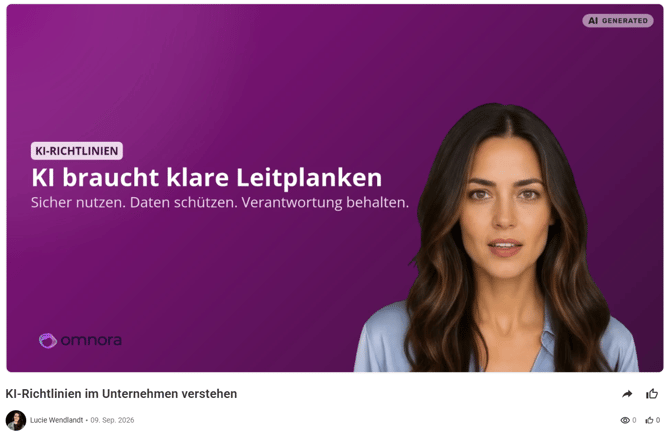
What the EU requires
Article 50 distinguishes two obligations:
- Machine-readable marking: The provider of the AI system marks generated content so it can be technically recognized as AI-generated.
- Visible labeling: Anyone who publishes an AI-generated video that could show a realistic-looking person or event must clearly label it as such for viewers.
The second obligation typically falls on you: you decide where and how your videos are published, which makes you responsible for the visible labeling.
📌 This article is not legal advice. Check with your own legal or compliance team to confirm whether and how Article 50 applies to your specific videos.
How to turn on AI labeling
Content managers can find the "AI label" setting in the Brand Kit. Turn on the toggle "Mark AI-generated videos with an AI label."
- The setting applies to the entire organization. There's no exception per video, scene, or user.
- By default, the toggle is off.
- Once you turn it on, every newly generated video with AI speech is automatically marked with the "AI generated" label from that point on: top right of the frame, for the full length of the video.
The label is burned directly into the final video file:
- It therefore shows up everywhere the video is played, downloaded, or embedded.
- You won't see the label in the editor itself: not on the canvas, not in the timeline, and not in the preview.
- Videos without AI speech don't get a label, regardless of this setting.
Turning labeling off
If you turn the setting off again, this only applies to videos you generate from that point on. Videos already created keep their AI label until you update the video.
Labeling existing videos
If you turn the toggle on after a video with AI speech has already been created, that video only gets the label once you manually update it.
FAQ
Do I need to turn on the toggle? That depends on your use case: where your video is shown and whether it depicts realistic-looking people or events. If in doubt, check with your legal or compliance team.
Can I turn the label on or off per video? No. The setting applies to the whole organization on purpose, so it can't be forgotten by individual creators.
Do older videos get labeled automatically? No, please update your video. The label will then become visible.
Questions? Send us a message, we're happy to help.