Overview
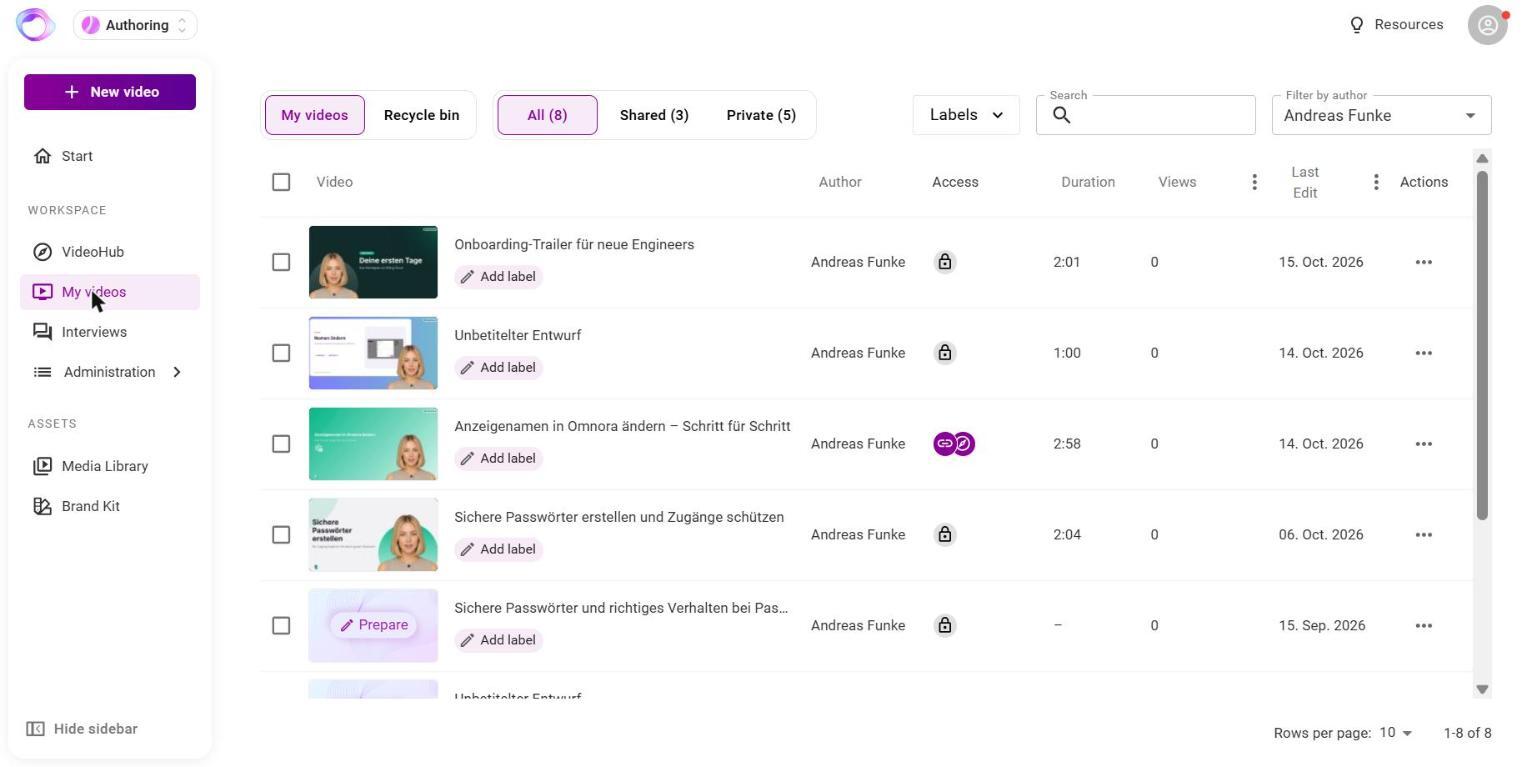
Under My videos you find all your videos with access, duration, views and last edit. Whoever manages content in your organization also sees colleagues' videos.
Step 1: Find videos
- Open My videos in the sidebar.
- Filter by All, Shared or Private, search by title or filter by Labels.
- Click the icon in the Access column to change the security profile.
Step 2: Organize videos
There are no folders. Organize your videos with labels instead: click Add label below the title, pick an existing label or create a new one. Labels apply to the whole organization and also help filtering in VideoHub.
Step 3: Change details and thumbnail
Open the video. Under Description you change title, speaker, description and language. Under Thumbnail you choose an uploaded image, the first slide or a screenshot of the current position.
Step 4: Use the menu actions
The three dots of a row give you:
- Analyze: views and quiz statistics.
- Duplicate: a copy with “(copy)” added, including labels.
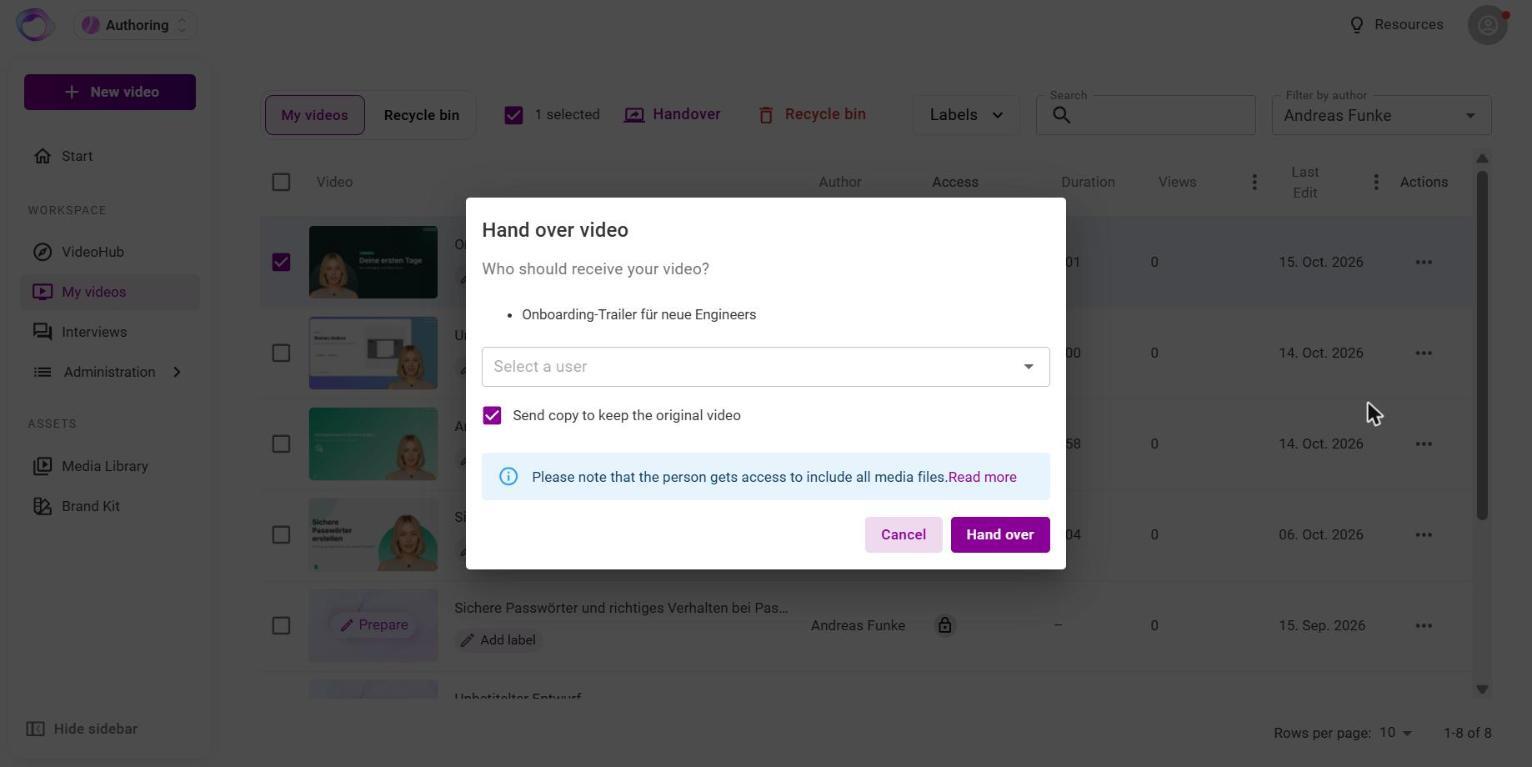
- Hand over: give the video to a colleague. Keep Send copy to keep the original video ticked to keep yours, or clear it to hand over the original. The person gets an email.
- MP4-Export: download the video as a file (depending on permissions).
- Delete: move the video to the recycle bin.
The recycle bin
Deleted videos go to the Recycle bin without confirmation. There you see how many days are left and bring a video back with Restore. After 90 days it is deleted permanently. A video in the recycle bin can't be watched, and its link doesn't work.
MP4 export
The MP4 file is a fixed copy without quizzes, analytics or later changes. Use it only where a link, embed or LMS can't be used. If the video has unpublished editor changes, update it first.
Frequently asked questions
I can't find a deleted video.
Check the recycle bin. After 90 days a video is removed from there permanently.
Can I hand over a draft?
No. You can only hand over finished videos. Unsaved editor changes are not handed over.
I don't see MP4-Export.
MP4 export isn't enabled for every account. Contact your Omnora contact person.
The MP4 export says the video has to be prepared first.
The video is being prepared for download. This takes a few minutes. Start the export again when it's done.
Does a downloaded MP4 file change when I update the video?
No. Download the file again after updating.
Questions? Send us a message, we are happy to help!